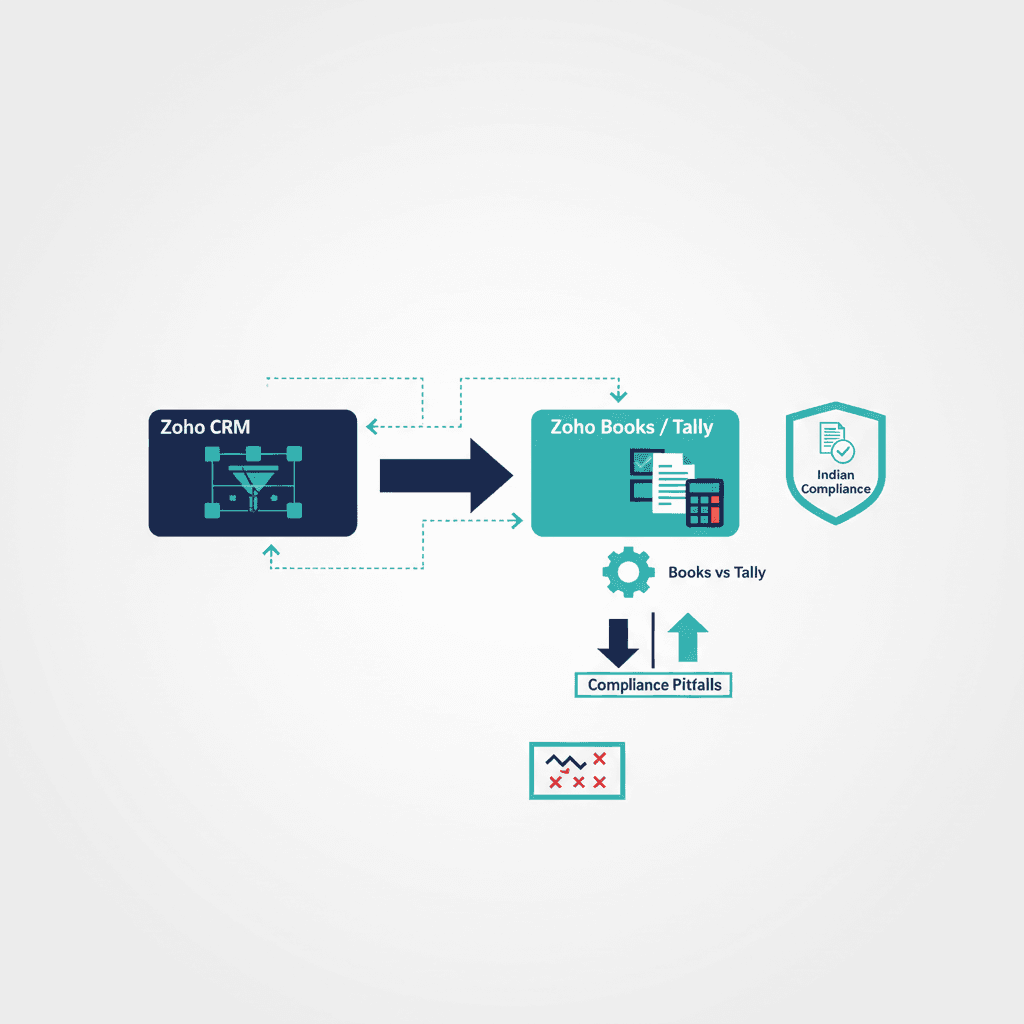
Zoho CRM doesn't generate GST invoices on its own — you connect it to Zoho Books (or Tally) so that a won deal in the CRM becomes a GST-compliant invoice without re-keying. Setting this link up properly is the single most India-specific part of a Zoho rollout, and getting it wrong causes reconciliation headaches and compliance risk. Here's how it works and where it breaks.
Why CRM and invoicing are separate
Zoho CRM manages the sales side — leads, deals, customers. GST-compliant invoicing (correct GSTIN, HSN/SAC codes, CGST/SGST/IGST splits, e-invoicing where applicable) is an accounting function, handled by Zoho Books or Tally. The integration connects the two so a closed deal flows into a proper invoice automatically. This is exactly the friction international CRMs create for Indian businesses — Zoho's advantage is that Books is built for GST out of the box.
What the integration does
- A won deal in CRM creates a customer + invoice in Zoho Books.
- Customer GSTIN and place of supply carry over, so the tax split is correct.
- Payments and status sync back so sales sees what's paid.
Zoho Books vs Tally
If you're starting fresh, Zoho Books integrates with Zoho CRM natively — the smoothest path. If your accountant lives in Tally (as many Indian businesses do), keep Tally and integrate it; don't force a switch that your finance team will resist.
Common pitfalls
- Wrong or missing GSTIN on customer records → invalid invoices. Validate at capture.
- Duplicate customers → duplicate invoices and broken reconciliation. De-dupe in CRM first.
- Place-of-supply errors → wrong CGST/SGST vs IGST. Get the mapping right during setup.
- Syncing pledges/quotes as invoices → revenue counted before it's real.
Getting it right
This is the part of a Zoho setup most worth doing carefully — see the implementation guide for where it fits, and implementation cost for what the integration adds. If you want it set up compliant the first time, talk to us.
Frequently asked questions
Does Zoho CRM generate GST invoices?
Not on its own. Zoho CRM manages the sales side; GST-compliant invoicing (correct GSTIN, HSN/SAC codes, CGST/SGST/IGST splits) is handled by Zoho Books or Tally. You connect the two so a won deal flows into a proper GST invoice automatically, without re-keying.
Should I use Zoho Books or Tally with Zoho CRM?
If you're starting fresh, Zoho Books integrates with Zoho CRM natively and is the smoothest path. If your finance team already runs on Tally — as many Indian businesses do — keep Tally and integrate it rather than forcing a switch they'll resist.
What are the common GST setup mistakes in Zoho?
Missing or wrong customer GSTIN (invalid invoices), duplicate customers (duplicate invoices and broken reconciliation), place-of-supply errors (wrong CGST/SGST vs IGST), and syncing quotes as invoices (revenue counted early). Validate GSTIN at capture and de-duplicate in CRM first.
Yash
Founder & Principal Consultant, Ynexgen
Yash leads Ynexgen, helping small and mid-sized businesses turn technology into a stronger foundation for growth — 7+ years across Salesforce CRM, websites, and AI adoption.